
01Module · IT Service Management
IT service management
that truly knows your IT.
Service desk, incidents, major incidents, problems, changes, requests and SLAs in one flow. Because knooing OS also knows your CMDB, your devices and your services, every ticket has full context from the start.
Why knooing OS
A service desk on the same data foundation as inventory, costs and compliance.
IT service management at a glance
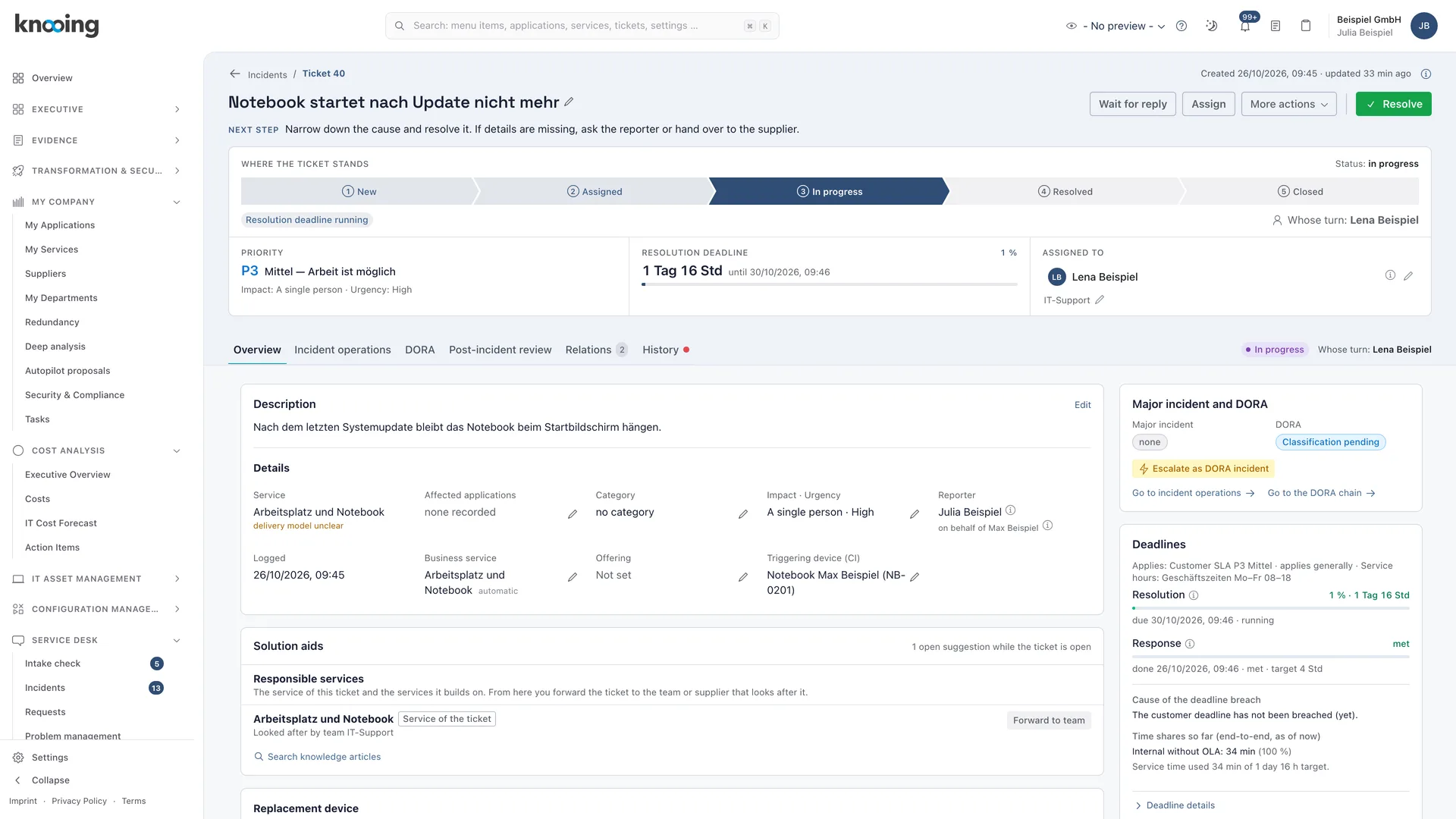
01Context instead of follow-up questions
Every incident knows its device, its service and its business service.
knooing derives the chain from the CMDB instead of asking the reporter for it. On the ticket, you see earlier incidents, changes and problems on the same system. Agents don't have to research first.
- Business service, service and device on the ticket automatically, with their origin
- Earlier incidents, changes and problems on the same CI
- Employees report an incident directly on their device in the portal
- Availability per service is calculated from incidents within operating hours
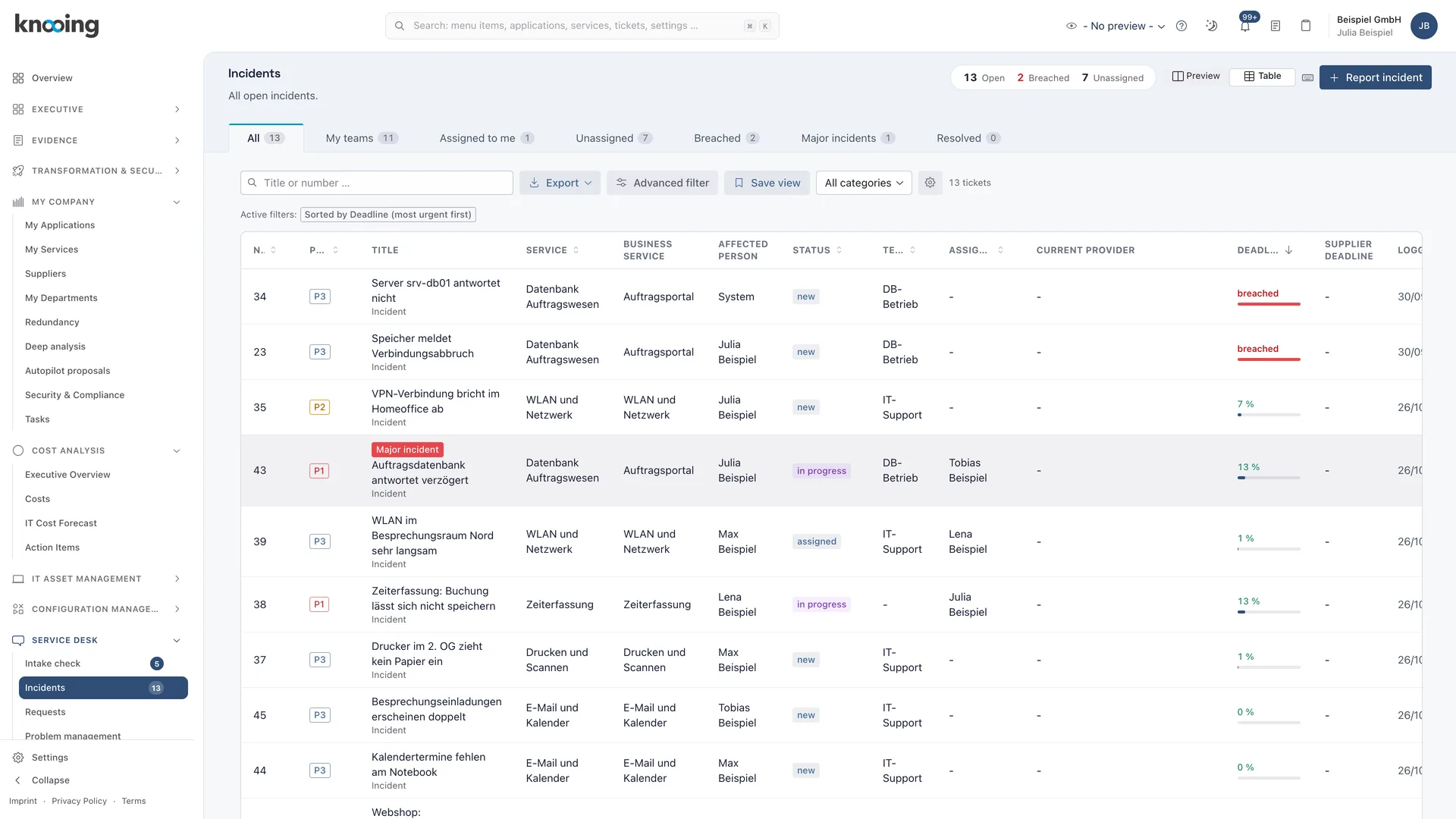
02One data model
Incidents, requests, problems and changes share one logic.
Every ticket type uses the same priority calculation, the same SLA framework and the same complete history. Reports and evidence work the same for every ticket.
- Priority from impact and urgency, raised by criticality
- One SLA framework for customer SLAs, team OLAs and provider contracts
- Complete history including SLA clock, escalation and approvals
- Separate number ranges per ticket type
03More than a ticketing tool
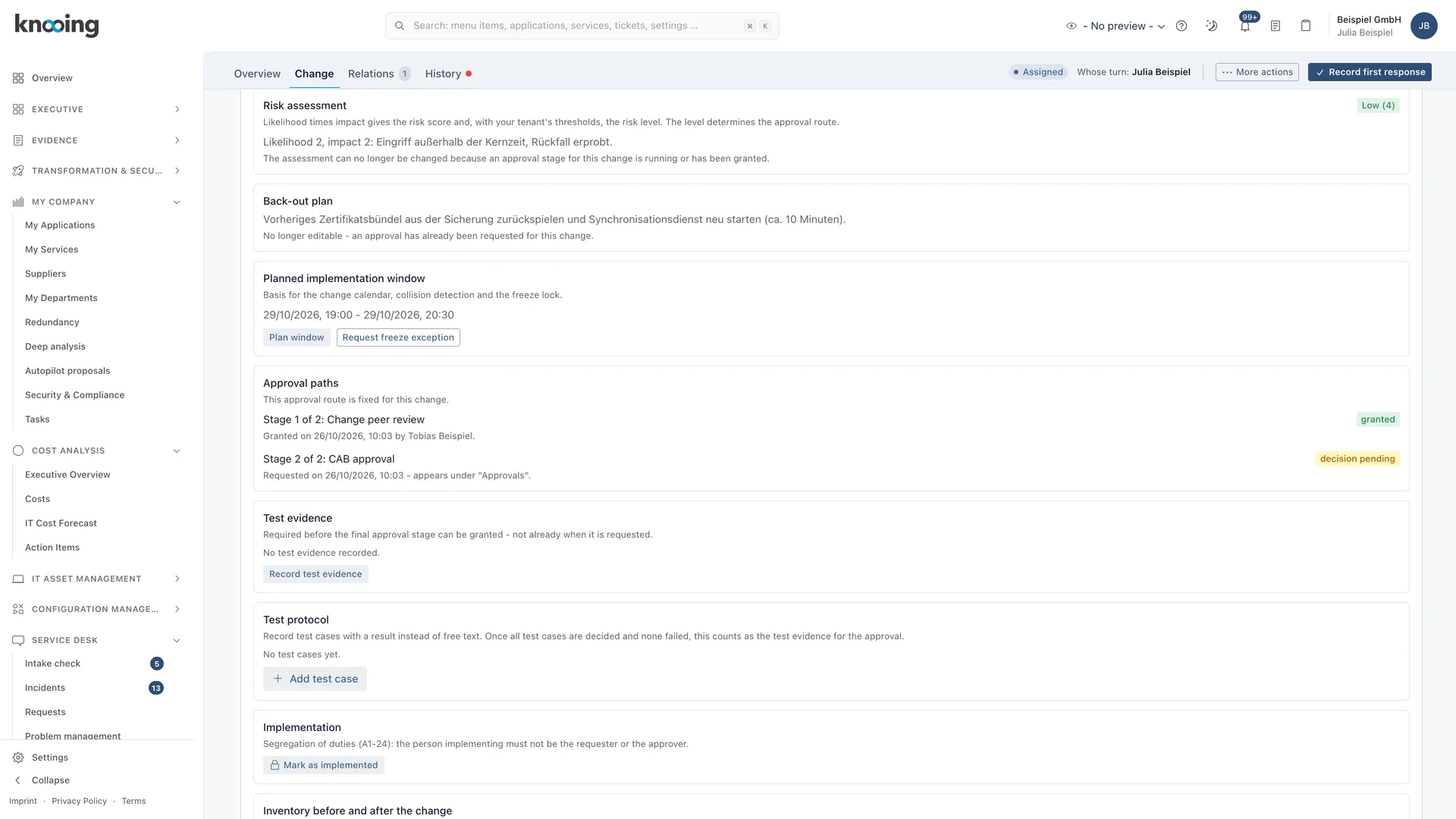
Criticality and protection needs act directly on operations.
What is recorded in the CMDB and service catalog determines priority, change risk and availability. A pure ticketing tool does not have this data. In knooing OS, it is the foundation.
- Changes are analysed through the CMDB for affected systems and business services
- After implementation, a closing step guides the CMDB update
- Protection needs and criticality raise priority, never lower it
- Criticality of CI, service, business service and application feeds into priority
Documentation
How it works in detail.
Documentation
Incident, problem and change in context: the overview
What knooing shows and does on an incident so that causes and ongoing changes do not stay hidden in three lists: the section on the same CI, changes as suspected cause, the waiting statuses for problem resolution and change and the automatic hand-over.
6 min read
Documentation
Assigning incidents to services: the four references of every incident
Overview of how knooing links every incident to the reporting person, business service, service offering and triggering device, where the assignment comes from and how to report on it.
6 min read
Guide
Read the context on the same CI and set the look-back period
How to see on an incident which changes run or recently ran on the affected object, which other incidents, problems and known errors are open there, and how to set how many hours the section looks back.
6 min read
Guide
Analyse a change's impact via the CMDB and use the risk suggestion
How to have knooing calculate which services, applications and CIs a change affects in its planned implementation window and how to adopt the suggested likelihood and impact derived from it.
6 min read
Guide
Update the CMDB after a change: record target values and apply them
How to record before the change what should change in the configuration database, compare target and actual values afterwards and apply them with one click or confirm with a reason that nothing needs updating.
9 min read
Guide
View my devices and my software in the portal and report incidents
See in the employee portal which devices, licenses and installed software are assigned to you, confirm receipt and report an incident for a device or program.
5 min read
Make data-driven IT decisions in minutes, starting today.
Schedule a free, no-obligation demo